.jpeg)
.jpeg)
.jpeg)
.jpeg)
.jpeg)
.jpeg)
.jpeg)
.jpeg)
.jpeg)
.jpeg)
.jpeg)
 Flight Sim Deck
Flight Sim Deck transforms your tablet or phone into a fully-featured cockpit companion, with real-time instruments, flight planning, and ground operations.
At a Glance
Briefing & Flight Planning
Prepare your flight with full SimBrief integration and real-time weather.
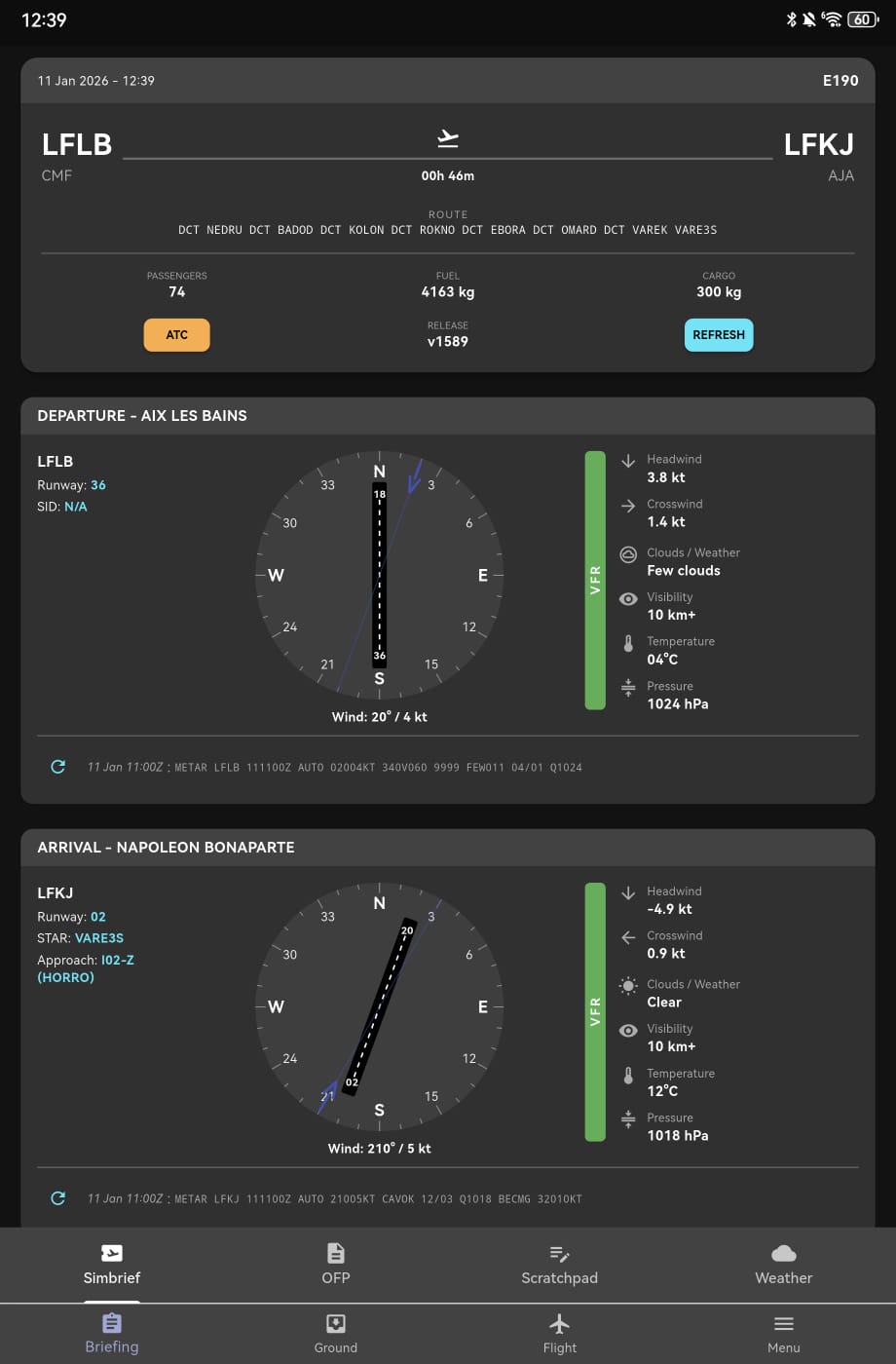
SimBrief Integration
Sync your flight plans directly from SimBrief. Pull-to-refresh, automatic parsing, and one-click send to the FMS.
Send to FMS: X-Plane onlyInteractive Route Map
Visualize your entire route with waypoints, SID/STAR procedures, and real-time aircraft position overlay. TOC and TOD markers included.
Vertical Profile
See your planned altitude and speed profile with TOC/TOD markers and real-time aircraft position tracking.
Real-time METAR
Live weather from aviationweather.gov with decoded clouds, visibility, wind, temperature, and flight category (VFR/IFR) color coding.
Airport Information
44,000+ airports with runway details, ILS frequencies, elevation, and interactive wind rose showing headwind/crosswind components.
OFP Viewer
Full SimBrief Operational Flight Plan PDF viewer for quick reference during your briefing.
Scratchpad
Quick notes for frequencies, clearances, or any flight info. Persists between sessions with stylus support.
Procedure Lookup
Search SIDs, STARs, and approaches from the built-in AIRAC navigation database. Edit departure and arrival procedures on the fly.
Flight Instruments
Real-time cockpit displays streaming directly from your simulator.
Primary Flight Display (PFD)
Full PFD with airspeed, altitude, heading, vertical speed, attitude indicator, flight director, and autopilot annunciations. Multiple themes available.
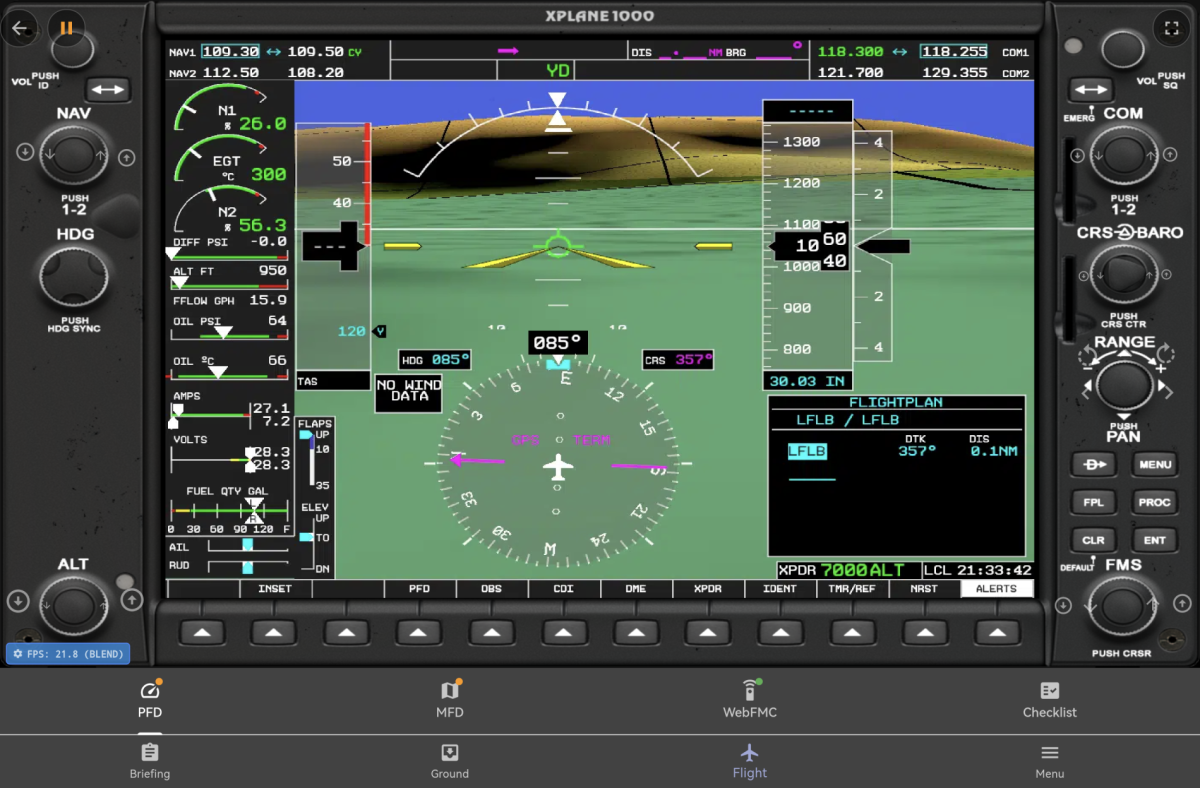
G1000 Glass Cockpit
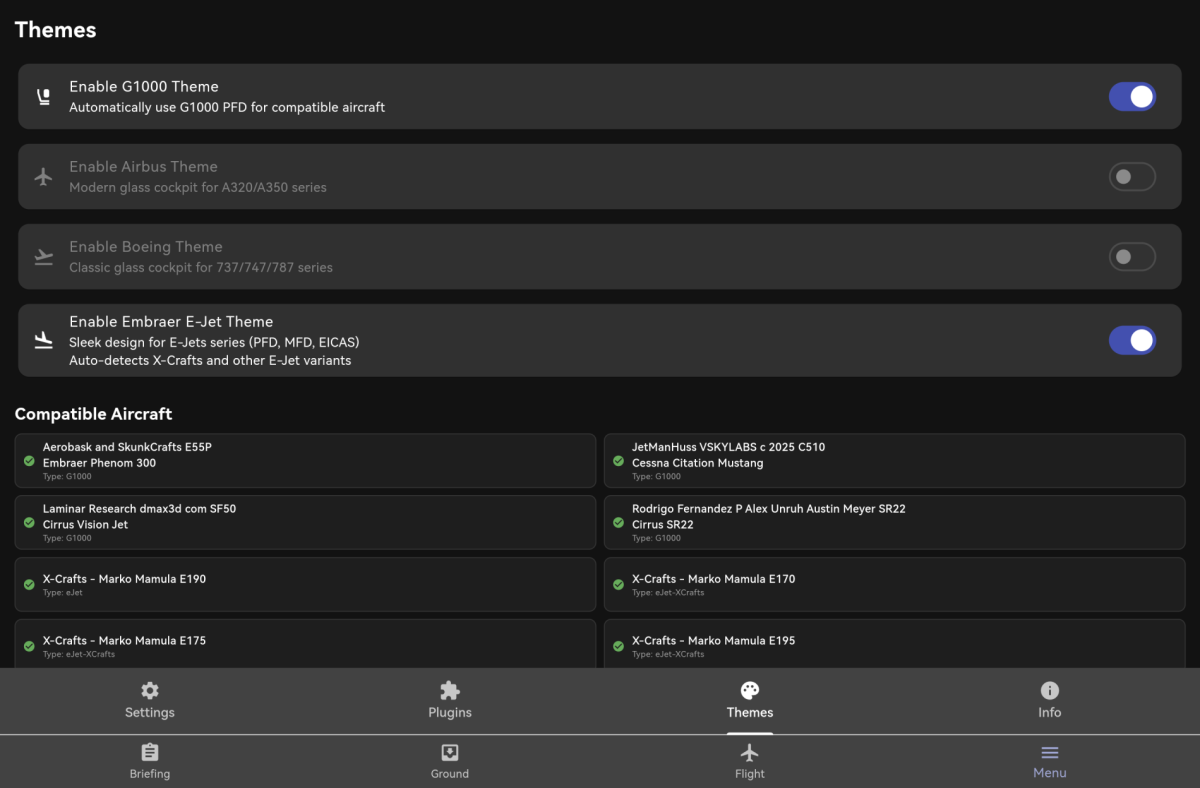
Dedicated Garmin G1000 theme with bezel and 100% functional touch keys. Full landscape PFD and MFD displays.
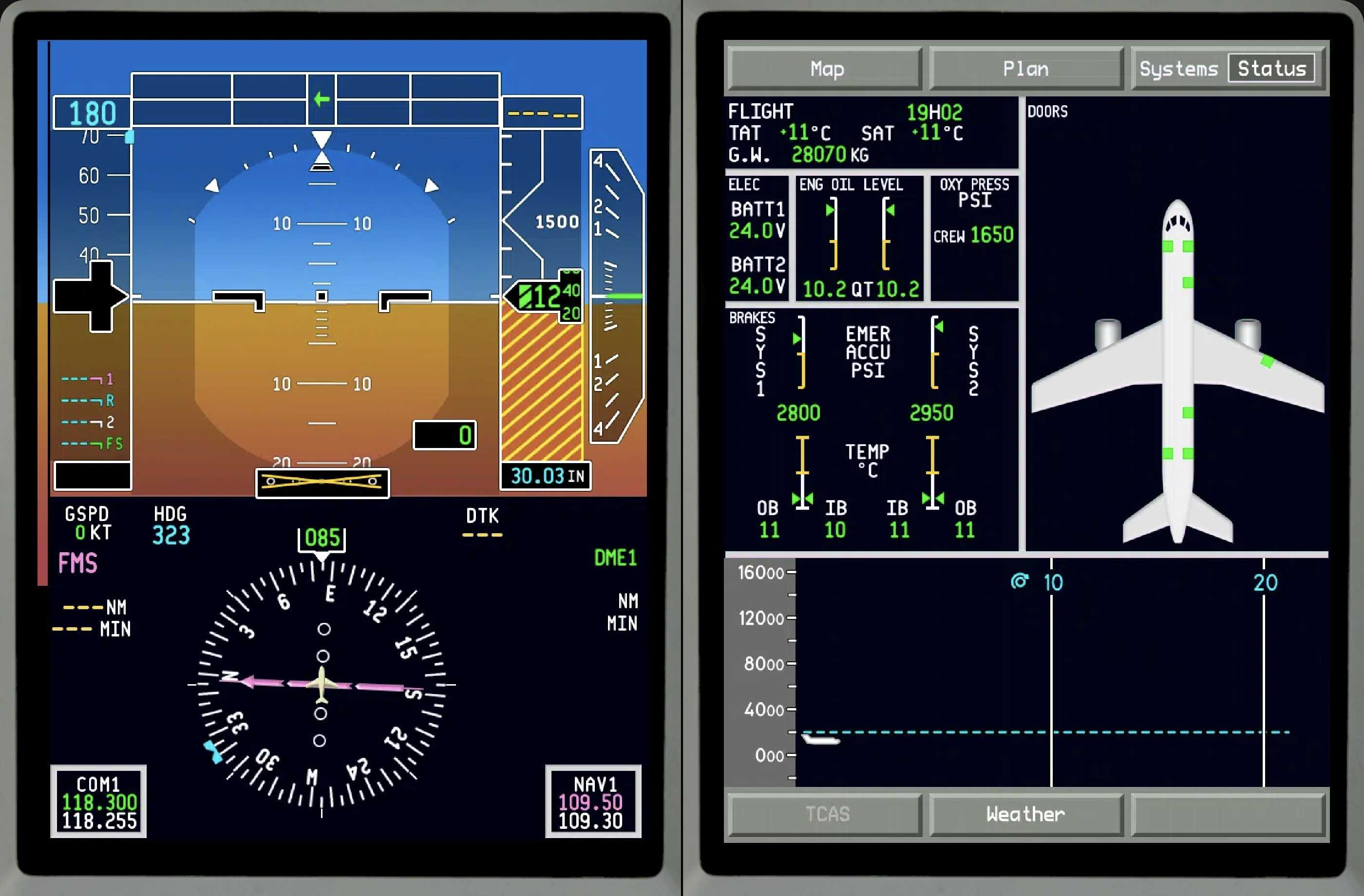
X-Plane onlyEmbraer E-Jet Suite
Custom PFD, MFD, and EICAS displays for X-Crafts E170, E175, E190, E195 series.
X-Plane onlyMulti-Function Display (MFD)
Moving map with real-time position, flight plan overlay, waypoint info, zoom control (10-800 NM), and distance/ETA readout.
Texture Streaming
Stream instrument textures directly from the simulator with ultra-low latency UDP mode (<8ms) or TCP fallback. See your actual cockpit screens.
X-Plane onlyAutopilot Control
Change altitude, heading, speed, and vertical speed targets directly from your device. Toggle AP modes, flight director, and autothrottle.
Alerts & Warnings
Master caution/warning indicators with acknowledge button. Voice announcements for autopilot disconnect and configurable TTS alerts.
WebFMC
Web-based Flight Management Computer interface for direct FMS interaction. Configurable IP/port with fullscreen support.
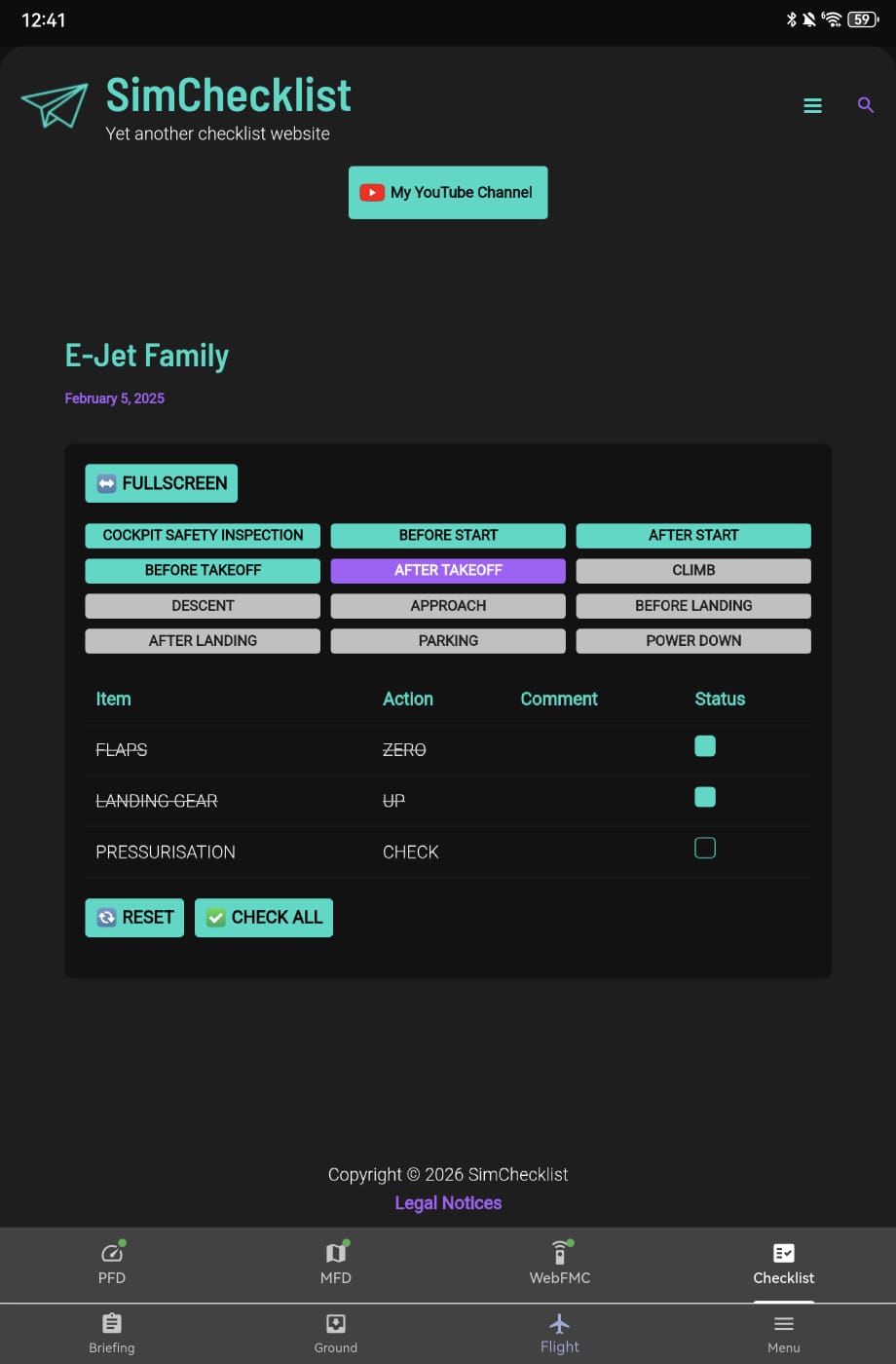
Checklists
Aircraft-specific checklists powered by SimChecklist.eu, automatically matched to your currently loaded aircraft.
Ground Operations
Manage boarding, cargo, fuel, and ground services before departure.
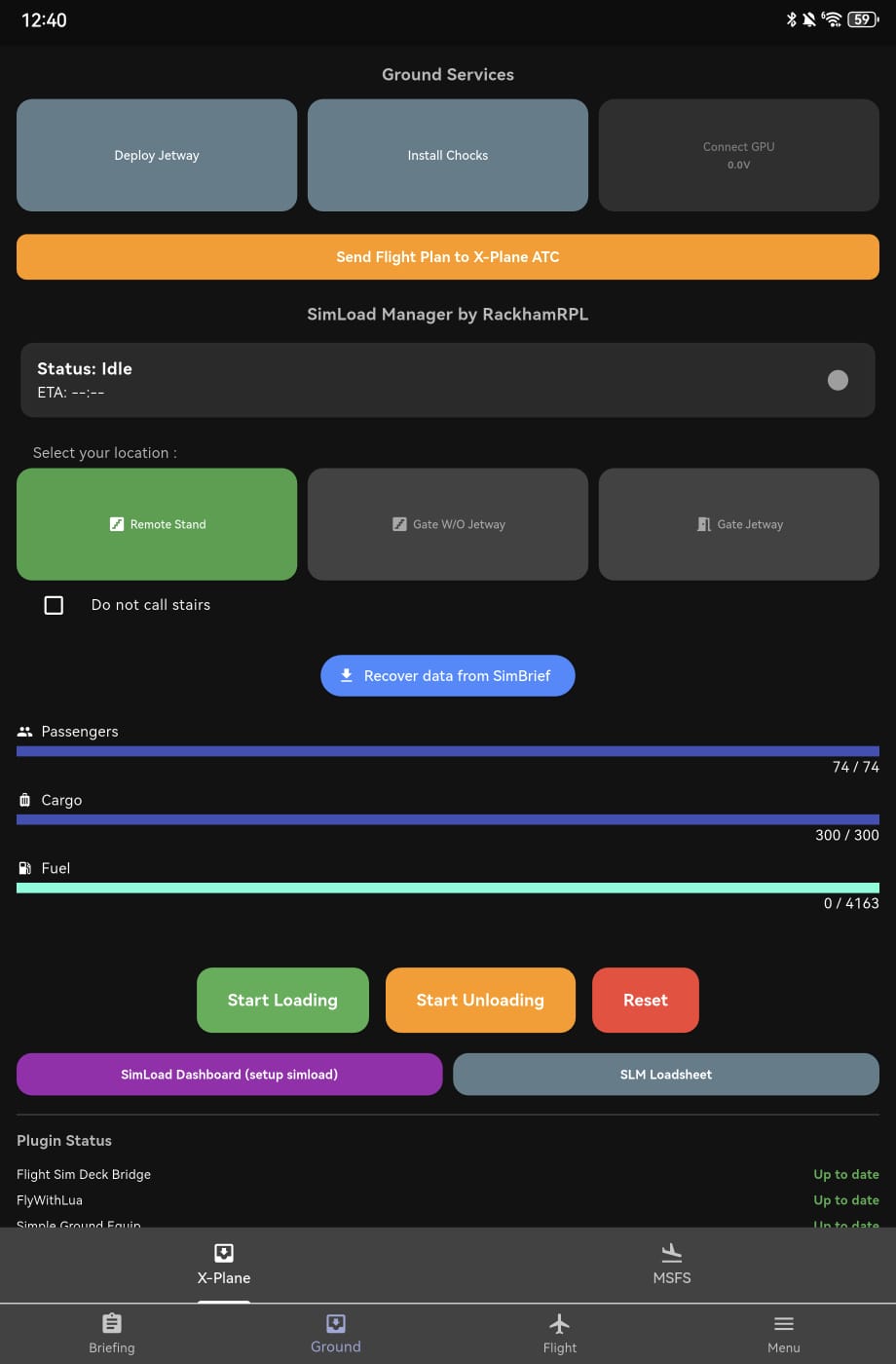
Passenger & Cargo Loading
Realistic boarding simulation with real-time progress, ETA, and automatic SimBrief-synced targets for passengers, cargo, and fuel.
Ground Equipment
Control GPU, chocks, jetways, boarding stairs, baggage carts, catering trucks, and fuel trucks from your device.
Loadsheet
Compare actual vs. planned weights with live loadsheet data. Track fuel, payload, and gross weight in real-time.
Location Modes
Choose between Remote Stand, Gate without Jetway, or Gate with Jetway. Each mode adapts available ground equipment automatically.
MSFS Ground Services
Full ground service requests for MSFS: jetway, baggage, catering, fuel truck, and GPU with simulated loading progress.
MSFSSimLoadManager
Deep integration with SimLoadManager plugin for X-Plane. Realistic weight distribution and ground handling.
X-Plane onlyCustomization & Tools
Make Flight Sim Deck yours with themes, plugins, and advanced tools.
Themes
Dark and Light modes with system theme detection. Choose between Generic, G1000, or Embraer instrument themes based on your aircraft.
Plugin Manager
Install and update FSD Bridge, FlyWithLua, SimLoadManager, and SGES plugins directly from the server. One-click install with beta channel support.
Auto Discovery
The app automatically finds your server on the local network via UDP broadcast. No manual IP configuration needed in most cases.
Skunkcrafts Updater
Built-in Skunkcrafts Updater integration to keep your X-Plane aircraft and plugins up to date.
X-Plane onlyDiagnostics
Server version check, connection diagnostics, compatibility enforcement, and detailed logging for troubleshooting.
Layout Sync
Push and pull custom instrument layouts to/from the server. Share configurations across multiple devices.
Under the Hood
Built for performance and reliability.
Real-time Streaming
50+ flight parameters streamed via WebSocket with delta updates. UDP texture streaming at sub-8ms latency for instrument displays.
Offline Database
58MB embedded airport database with 44,000+ airports, runways, ILS frequencies, and full AIRAC navigation data for procedure lookup.
Privacy First
No personal data collected. Everything runs locally on your network. No cloud dependency, no account required.
Cross-Platform Server
Bridge server available for Windows, macOS, and Linux. X-Plane plugin built natively for all three platforms.